Not another dashboard. A briefing you read in minutes.
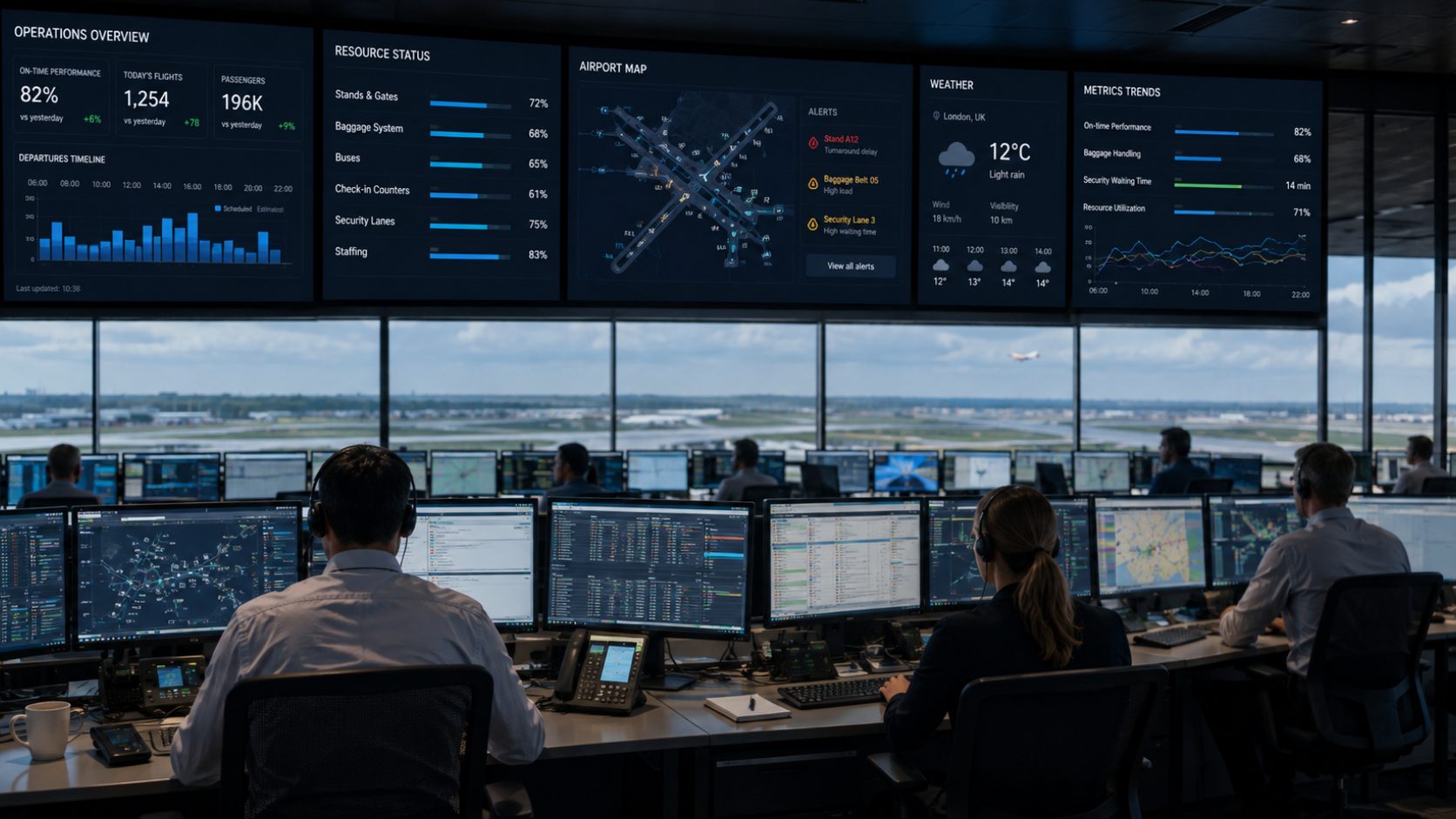
Ops Briefing helps every employee start their shift with the same clear picture of what is happening, and what may happen next. Operational teams are surrounded by information: weather, passenger volumes, infrastructure changes, outages, incidents, maintenance and updates from every department, all scattered across dashboards, emails, chat groups, meetings and local systems. Ops Briefing brings it together and turns it into one clear, role-based briefing.

A typical briefing includes
Passenger forecast & expected peaks
Weather & its operational impact
Systems or equipment with recent problems
Planned maintenance & restrictions
Closed stands, areas or facilities
Known outages & degraded services
Incidents & learnings from previous shifts
Key events, VIP & unusual passenger profiles
The most important things to watch today
AI summarises the volume of operational data and highlights what deserves extra attention, so the briefing stays short enough to actually be read before the shift starts.
Awareness, not another noisy channel
Only significant operational changes are pushed to staff. A weather window moving forward, a baggage system going degraded, an infrastructure restriction changing, a new disruption developing, the relevant teams get a clear update, acknowledge it in seconds and carry on working.
The communication loop
Brief
The control room publishes a change to the teams it actually affects.
Understand
The update says what changed and what it means for that role, not just that something happened.
Acknowledge
One tap confirms it landed. No forms, no meetings, no chasing people down.
Stay aligned
Control and frontline hold the same picture for the rest of the shift.
What actually reaches the frontline

Only what matters
Updates arrive graded by operational impact, so a VIP movement never competes with a degraded baggage system for attention.

And what it means for you
Every update carries its own consequences: ground delays, lightning holds, what to monitor. Then one tap to acknowledge.

An alert tells you what happened. Context tells you what it means.
For the control room, AI analyses incoming data and helps identify what is relevant enough to communicate: summarising incidents, combining sources and generating briefing content per team. For employees, the AI Agent supplies context whenever they need it.
Questions employees actually ask
- “Anything I should know before starting my shift?”
- “Why is stand area B closed?”
- “What’s the weather impact?”
- “Show me affected flights.”
Same data, same audit trail and same access model as the rest of the ADM Platform. The AI Agent is a layer over the operation, not a separate copy of it.
Know how well the organisation has been briefed
Control teams see which updates are active, which departments received them and how many employees acknowledged critical information, then update or withdraw briefings as the situation changes.
Briefing coverage · today
Briefed before shift start: 3,842 of 4,100 employees
Active updates across departments
Median time to acknowledge a change
By department
Flagged: additional communication suggested
-
Live and withdrawable. Briefings are updated or pulled as the situation moves, so nobody is acting on a stale message.
-
Gaps made visible. Where acknowledgement lags, control sees exactly which department needs a second push.
-
Awareness, not micromanagement. The objective is a shared picture. Existing workforce management and operational systems stay in place.
Sits on top of the operation you already run
Ops Briefing does not ask you to replace anything. It reads the sources you already have, plus manual control-room input, and turns those fragmented inputs into one understandable view of the operation.
Inputs
One briefing per role, per shift
Read in minutes
Discover how much additional capacity you can realize
We will walk you through the platform against your own constraints: stands, gates, counters or tows.